
 Unlock All Access
Nest: The Best Template for a Grocery Ecommerce Website
8 mins read
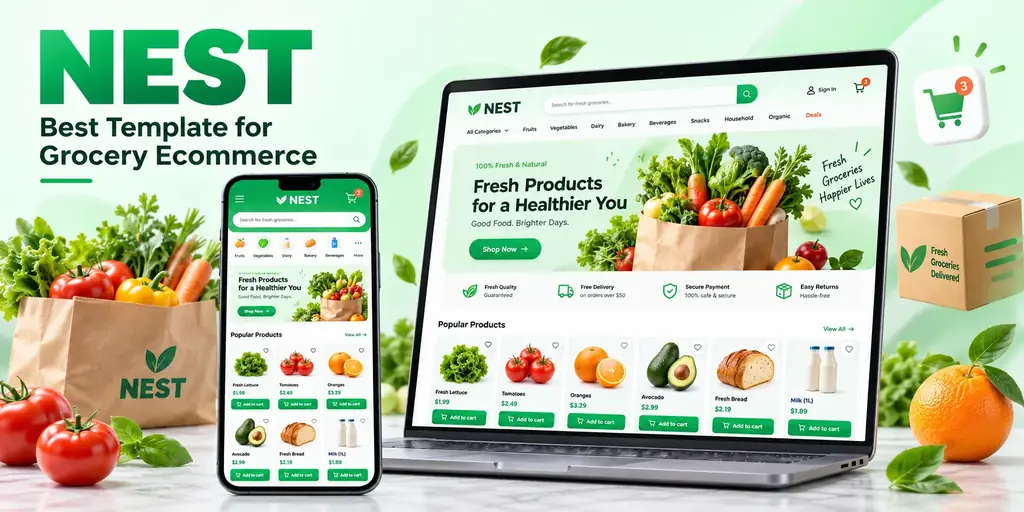
If you are opening an online grocery store, a supermarket, or an organic food shop, Nest is the strongest starting point in the AliThemes catalog. Most ecommerce templates are fashion layouts with the photos swapped out. Nest is the opposite: it is designed from the start for mega stores, grocery stores, supermarkets, and organic shops — the kind of catalog built from beverages, vegetables, fruits, ice creams, herbs, juice, meat, cold drinks, sausages, and packaged food. That starting shape decides whether your first month goes into selling or into rebuilding category navigation.
This guide explains what a grocery storefront actually needs, how Nest answers each requirement, where its limits are, and how to launch with it in the right order. The short verdict: buy Nest when your catalog is organized like a supermarket aisle system. Look elsewhere only when your store is really a fashion boutique or a multivendor marketplace in disguise.
What a grocery ecommerce website needs that other stores do not
Grocery is a repeat-purchase, high-frequency catalog. A fashion shopper browses a collection; a grocery shopper rebuilds a weekly basket. That difference changes what the template has to do well:
- Aisle-shaped navigation. Categories behave like supermarket departments — produce, dairy, beverages, meat, household — and shoppers jump between them constantly. The menu and category pages carry more weight than the hero banner.
- Dense product grids. A grocery catalog can hold thousands of small, similar items. Product cards must stay scannable with real photos, weights, and prices at a realistic catalog size, not just in a twelve-product demo.
- Fast reordering on mobile. Most grocery orders happen on a phone, one-handed, from a list. Add-to-cart actions, search, and category filters have to survive small screens and long product names.
- Trust and freshness signals. Delivery, returns, and quality messaging sit close to the buying decision because the products are perishable.
- An operations side. Someone has to manage products, orders, and promotions. A storefront without any admin starting point means a second design project later.
Judge every grocery template against that list before you look at colors. A beautiful template that fails the aisle test will cost more to fix than it saved at checkout.
Why Nest fits grocery stores
Nest is a multipurpose ecommerce HTML template built with Bootstrap 5.3, HTML5, CSS3, and jQuery, written in Sass using a 7-1 pattern. It is fully responsive and multi-device ready, so the same storefront covers the desktop weekly shop and the mobile top-up order. The catalog positioning is explicit — mega store, grocery store, supermarket, organic shop — and the demo content is food retail rather than apparel, which means the homepage sections, category structure, and product grids already speak the right language.
Three parts of the pack matter most for grocery launches. First, the storefront itself: more than 50 RTL frontend HTML pages give you the homepage, shop, product, cart, and supporting pages as a coherent system instead of a single landing page. Second, a dashboard ships in the same purchase, so the operations side of the store starts from the same design language as the shop. Third, full RTL support makes Nest a realistic choice for Arabic and other right-to-left markets, where grocery ecommerce is growing fast and a mirrored layout is a launch requirement, not a nice-to-have.
A Figma design file is included for the LTR frontend. Treat it as the design reference when stakeholders want to approve layouts before development, and still QA the RTL pages separately — the Figma file does not cover the mirrored experience.
The details that save time in week one
- Bootstrap 5.3 with Sass in a 7-1 structure, so rebranding colors and typography stays organized as the catalog grows.
- A price-range slider and filter-friendly shop layouts, which matter more in a 2,000-product grocery catalog than in a 40-product boutique.
- W3C-validated, responsive markup that behaves consistently across devices instead of a desktop design squeezed onto phones.
- A long-running product line — Nest is one of the flagship AliThemes ecommerce families, with the same brand available in HTML and Next.js versions.
A walkthrough: homepage, category, product, and dashboard
Start the evaluation where your shoppers will live. On the homepage, check that the category entry points read like your real departments, not the demo's. Replace the demo categories with your own — fresh produce, bakery, dairy and eggs, beverages, household — and confirm the layout still feels balanced with your longest category name in it.
On category and shop pages, load a realistic number of products before you judge anything. Grocery grids fail at scale: photos with inconsistent backgrounds, two-line product names, and weight or volume labels are what break a card layout, and none of that shows up in a curated demo. Drop in fifty real products from one aisle and scroll it on a phone.
On the product page, the questions are grocery-specific. Can the page carry pack sizes and unit pricing clearly? Does the add-to-cart flow stay obvious when the shopper is adding one item among many, rather than considering a single hero purchase? Then open the dashboard and confirm the operations screens your team will touch daily — products, orders, promotions — are close enough to your workflow to adapt instead of replace.
Nest HTML or Nest Next.js: which version should you buy?
The Nest family gives you the same storefront brand in two stacks. Nest is the Bootstrap version covered in this guide: the fastest route to a rebranded, deployable grocery storefront, and the right choice when checkout will live in an external provider or a separate backend. Nest Next.js rebuilds the multipurpose storefront on Next.js with Redux, for teams who already ship React and expect richer client-side interactivity — live filtering, account experiences, or a headless commerce API.
Do not let the stack decision delay the design decision. Approve the grocery layout first, then pick the implementation that matches your team. If you are still weighing the stacks themselves, the broader comparison in HTML vs Next.js vs React templates walks through the trade-offs, and Best HTML Ecommerce Templates compares Nest with the other HTML storefronts side by side.
Do not confuse the Nest template with the Nest Django script
AliThemes sells two different things under the Nest name. The HTML and Next.js products are frontend templates — they supply the interface your shoppers see. The Nest Multivendor Django product is a full Python ecommerce script for marketplace behavior. If you only need a grocery storefront, the script is more than you need; if you need vendor onboarding and marketplace logic, a template alone will not provide it. The guide Nest Multivendor Django Ecommerce Script: Who It’s For draws that line in detail.
Who should — and should not — buy Nest
Buy Nest when
- Your catalog is grocery, supermarket, organic food, or general food retail with department-style categories.
- You need RTL support, a dashboard, or both in the same purchase.
- You want a Bootstrap storefront you can rebrand now, with a Next.js sibling available if the stack changes later.
- Your team would rather spend the first sprint on catalog and checkout than on inventing shop layouts.
Look elsewhere when
- The store is a fashion or boutique brand first — Evara is the better-shaped starting point for clothing, handmade, and flower shops.
- The project is a multivendor marketplace with seller-style browsing — Ecom is built around that information architecture instead.
- You expect the template to include payments, inventory, or delivery logistics. No frontend template does; that logic connects separately, whoever you buy from.
- Your catalog is a handful of products. A dense supermarket layout is wasted on a ten-item shop, and a simpler storefront will feel calmer.
How to launch a grocery store with Nest, in order
- Match the template to your catalog shape first: rename the demo departments to your real aisles and confirm the navigation still reads clearly.
- Put real product photography into the grid and product page before restyling colors — grocery layouts live or die on photo consistency.
- Decide where cart and checkout live: inside your backend, or with an external provider. The template supplies the interface either way.
- Connect the catalog, payment, and inventory logic only after the layout is approved with realistic data.
- Test category filters, search, and the product page on mobile with a full-size catalog, including your longest product names.
- If RTL is in scope, QA the mirrored layout end to end before launch, not after the first Arabic order arrives.
If you would rather not do the setup yourself, the Installation service covers getting a purchased template running, and Full Website Setup goes further for stores that need pages, analytics, and launch configuration handled end to end.
The verdict
Nest earns the “best template for a grocery ecommerce website” spot for a simple reason: it starts from the supermarket's shape instead of borrowing a fashion store's. The aisle-friendly catalog structure, the dashboard in the same purchase, full RTL, and the choice between Bootstrap HTML and Next.js cover the way grocery stores actually launch. Add your catalog, your checkout, and your delivery rules on top of it — in that order — and the first version of the store can be selling while other teams are still redrawing product cards. Browse the rest of the storefront shelf in HTML Templates if your catalog turns out not to be grocery-shaped after all.
Frequently asked questions
- Is Nest only for grocery stores?
- No. Nest is a multipurpose ecommerce template, but its strongest fit is food retail: mega stores, grocery stores, supermarkets, and organic shops selling beverages, vegetables, fruits, herbs, juice, meat, cold drinks, and packaged food. That grocery-shaped catalog is exactly what this guide evaluates.
- Does Nest include checkout and payment processing?
- No. Nest provides the storefront and dashboard interface — homepage, category, product, cart, and account-style pages. You connect your own catalog, cart logic, and a payment provider such as Lemon Squeezy, Stripe, or your commerce backend before taking real orders.
- Does Nest support RTL languages like Arabic?
- Yes. Nest advertises full RTL support with more than 50 RTL frontend HTML pages. Still test mirrored navigation, product cards, and the price-range slider with real Arabic content before launch, because RTL quality is decided by your longest category and product names.
- Should I choose Nest HTML or Nest Next.js?
- Choose Nest HTML when you want a Bootstrap storefront you can rebrand and deploy quickly, or when checkout lives in an external service. Choose Nest Next.js when your team already works in React and needs richer client-side interactivity on top of a Redux storefront structure.
- What is the difference between the Nest template and the Nest Django script?
- The Nest HTML and Next.js products are frontend templates — they supply the interface. Nest Multivendor Django is a full Python ecommerce script for marketplace backend logic. Buy the template for storefront speed; evaluate the script only when you need the application behavior itself.
- Is a Figma file included with Nest?
- Yes, a Figma design file is included for the LTR frontend only. Use it as the design reference for left-to-right pages, and still QA the RTL layouts separately if your store launches in a right-to-left language.
Related products
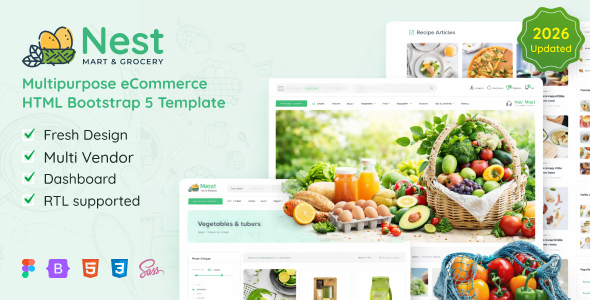 Nest - Multipurpose eCommerce HTML Template + RTL + Dashboard
High Resolution: Yes, Compatible Browsers: IE8, IE9, IE10, IE11, Firefox, Safari, Opera, Chrome, Edge, Compatible With: Bootstrap 5.x, Columns: 4+
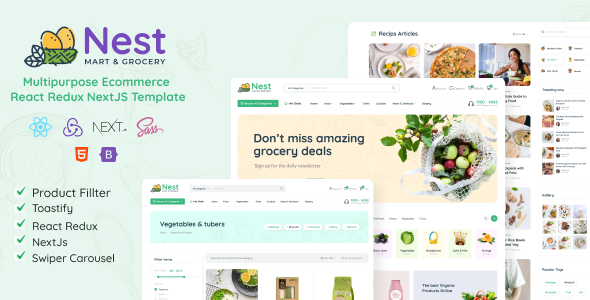 Nest- React Redux NextJS Multipurpose Ecommerce Template
High Resolution: Yes, Compatible Browsers: IE10, IE11, Firefox, Safari, Opera, Chrome, Edge, Compatible With: ReactJS, Bootstrap 5.x, Columns: 4+
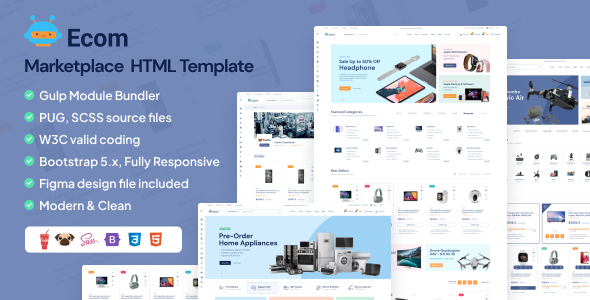 Ecom - Multipurpose Marketplace HTML Template + RTL + Dashboard
High Resolution: Yes, Compatible Browsers: IE9, IE10, IE11, Firefox, Safari, Opera, Chrome, Edge, Compatible With: Bootstrap 5.x
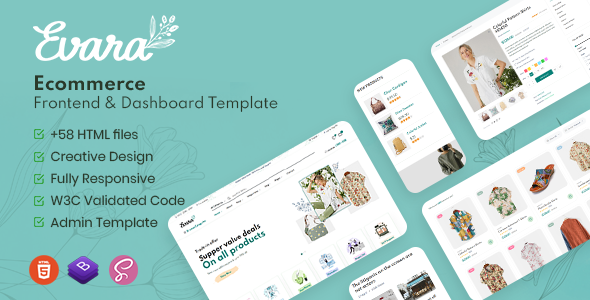 Evara - Bootstrap 5 Ecommerce Frontend & Dashboard Template
High Resolution: Yes, Compatible Browsers: IE8, IE9, IE10, IE11, Firefox, Safari, Opera, Chrome, Edge, Compatible With: Bootstrap 5.x, Columns: 4+
Related posts
Best HTML Ecommerce Templates: Nest, Ecom, Evara, and Guza
Compare four AliThemes HTML ecommerce templates — Nest for grocery, Ecom for marketplaces, Evara for fashion, and Guza when you also need Next.js and Figma.
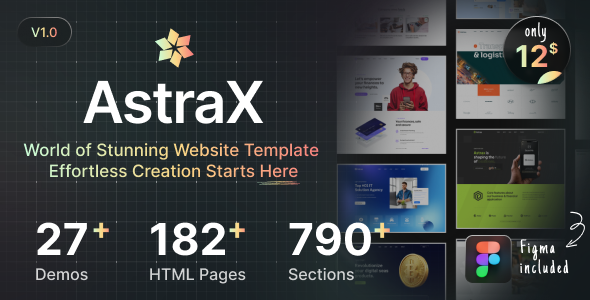
AstraX Multipurpose Template Library: When One Pack Is Enough
When to choose AstraX — AliThemes multipurpose template library for teams that need many page types from one pack across HTML, Next.js, and Figma.
AliThemes HTML Templates for SaaS, Creative, Real Estate, Events, Booking & Jobs
Discover premium AliThemes HTML templates for SaaS, creative agencies, real estate, events, booking, jobs, and more — built to launch fast with conversion-ready layouts.